Travelling At Night Controls and interface
Practical input and UI habits for a dense isometric CRPG
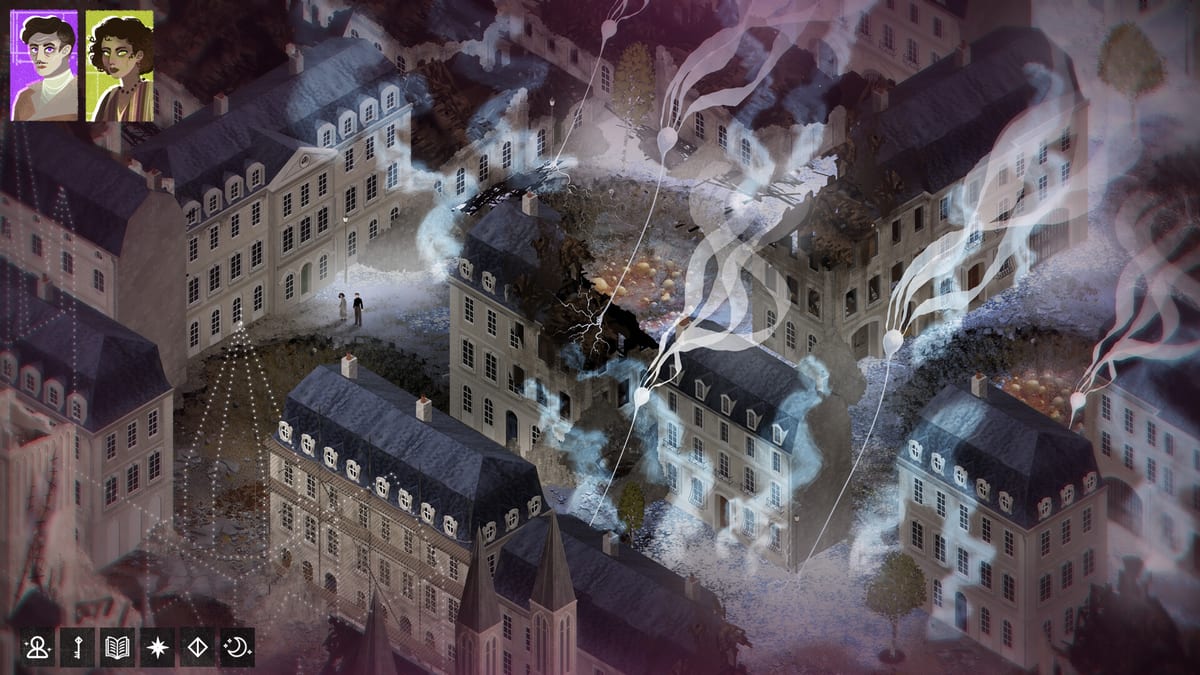
Travelling At Night is an isometric PC CRPG heavy on tooltips, dialogue nesting, and menu craft. This page focuses on habits that prevent misclicks and missed meters rather than binding every key—storefront and in-game prompts remain authoritative as polish continues.
Movement and camera
Click-to-move through Antibes’ rain-slick streets and sanitarium halls. Use run toggles when long pathing drags. If Spencer clips into scenery—early builds joked about fridges and palm trees—repath; polish notes live on Demo status. Learn the town map mentally via Map locations.
Dialogue and tooltips
Nested tooltips unpack Secret Histories vocabulary. Hover patiently; do not skip every gloss on run one if you are new. Dialogue windows continue to receive smoothness passes—slow down when options multiply. Career and Passion colour available lines; if a line is missing, your build or meters may be the gate, not a broken keybind.
Checking sheets and meters
Frequently open character info to see Skills, Passions, Dread, and Trace. After major conversations, glance meters before starting a craft or recruitment push. Many “softlocks” are meter blindness. Guides: Manage Dread, Dread & Trace.
Crafting and outfit menus
Recipe UI improved markedly from early beta; still verify skill + item + station before confirming. Outfit swaps should be deliberate kit changes—see Outfits. If a menu feels opaque, exit, reposition at the station, and re-enter after an autosave moment.
Companions and followers
When Vincent follows, confirm pathing in tight indoor spaces. Use him on the check UI when aids appear rather than assuming passive bonuses always apply. Recruitment guide: Recruit Vincent.
Accessibility habits
Raise UI scale if available in your build; play in shorter sessions to respect word density; keep a notepad or the Build Planner for theses. Secret Histories newcomers should allow tooltip time without shame.
Platform notes
Windows, macOS, and Linux are targeted; verify your storefront’s control prompts. Performance hiccups: System requirements. Storefronts: Platforms.
Learning order
Spend the first fifteen minutes only on movement, tooltips, and meter locations before optimising builds. Then follow How to play. Controls mastery is invisible when done right and miserable when skipped.
Dialogue hygiene
When options multiply, scroll carefully; misclicks in dense trees waste Trace and tone. Use tooltip hover as part of combat-free “positioning.” If a tooltip references Hours or Worms you do not know, read it—primer pages can wait until after the scene. Pause menus exist so you can check meters without walking away from a heated Léon conversation mid-thought.
Save awareness
Respect how your storefront build handles saves. Do not assume cloud magic across Steam/GOG. Before experimental Appetite craft nights, ensure you can afford failure without losing an hour of Footnotes.
Meter-first keybind mental model
Whatever the literal keys, the mental model is: move → talk → glance meters → spend Memories → craft/outfit/footnote → repeat. Players who invert that order—spend before glancing—create their own difficulty spikes. Rebind nothing until that mental model is muscle memory.
Multi-monitor wiki setup
Keep this wiki on a second screen with Guides + Systems only; hide tier lists until after a clear if spoiler discipline matters to you. Pause the game when reading long pages so Trace does not rise while you scroll. Controls include knowing when not to click.
Failure recovery inputs
When stuck: open sheet, read meters, swap outfit, check craft inventory, see if Vincent can aid, repath to a pillar landmark, then resume dialogue. That recovery macro prevents panic reloads. Bind it in your head next to move/talk. Tooltip patience remains a control skill—speed-clicking Secret Histories language is how newcomers decide the game is unfair when they simply skipped the glossary hovering in front of them. Slow is smooth; smooth is fast in Antibes.
Frequently Asked Questions
Quick answers drawn from the demo and official notes.
Where is the official keybind list?
Use in-game prompts and storefront documentation for your platform build.
Why can’t I select a dialogue option?
Build, Passion, prior choices, or meters may gate it—not always a control bug.
Does the demo support controller?
Treat keyboard/mouse as baseline unless your build explicitly lists controller support.
What UI should I watch constantly?
Dread, Trace, and whether Vincent is available to aid the next check.